
Answer a few questions and leave with a plan, in your business name, ready to sign.
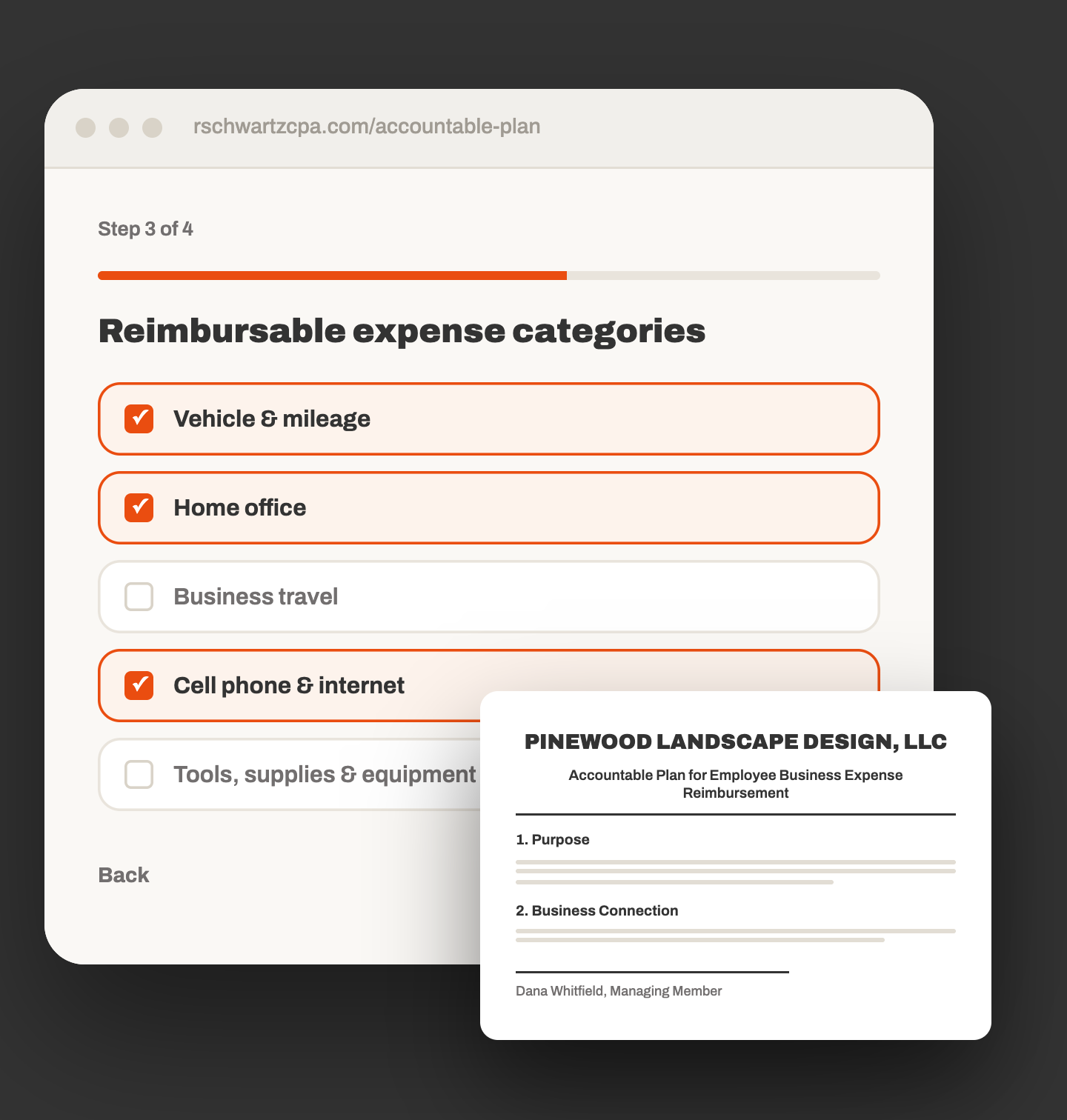
Answer a few questions, then print or download a plan ready to sign. Nothing is saved, so finish in one sitting.
This appears at the top of the adopted plan document.
These deadlines are what make reimbursements nontaxable under the IRS accountable plan rules. The defaults are the standard safe-harbor periods.
Select every category this business will reimburse under the plan. Each selection adds its own terms to the document.
Names and titles for the adoption block at the end of the document.
Review it below, then download a print-ready PDF or print directly.
Want step-by-step instructions? Download the guide
Most owners finish in under ten minutes. You answer in ordinary language, the tool writes the legal document, and you print it and sign it.
Legal name, entity type, EIN if you have one, and your address. This is what prints at the top of the plan.
Effective date, who administers the plan, and the submission deadlines. The IRS safe-harbor defaults are filled in for you.
Tick the expenses your business will reimburse. Mileage, home office, and phone ask one follow-up question each.
Review the finished plan on screen, then print it or save it as a PDF and sign.
A nine-section Accountable Plan on Letter paper, carrying your legal business name, entity type, EIN and address. The sections cover purpose, business connection, substantiation, return of excess reimbursements, your reimbursable categories, non-qualifying expenses, administration, amendment, and adoption, with signature lines at the end.
Only the categories you tick appear in Section 5, with the method and rates you chose. Nothing generic, nothing about a business that is not yours.
Your legal business name on the title, not a blank line
Entity type, EIN and address filled in
Effective date and your chosen deadlines in Sections 3 and 4
Only the expense categories you selected, in Section 5
Your named plan administrator in Section 7
Signature lines for the owner, the countersigner, and the date
Tick the ones that apply. Vehicle, home office, and cell phone ask one extra question about your method or percentage.
If you or your employees pay business costs personally and the business pays you back, a written plan is what keeps those reimbursements out of taxable wages. Without one, the payments can be treated as wages.
No. Nothing you type is stored on our end. If you close the page or refresh it, you start again, so finish in one sitting and save the PDF when you are done.
Yes. Section 8 lets the owner amend or terminate the plan in writing. You can also come back and build a new version whenever your reimbursement practices change.
Call the office. We adopt this plan with our clients as part of year-round accounting and tax work, and we can review yours or set the whole thing up with you.
Start at the top of the page. If you would rather we set it up with you, call the office.